Goal
Understand how aperture, shutter speed, and ISO affect your photo, while keeping exposure correct.
Important rule for ALL photos:
- Every photo must be properly exposed.
- If you change ONE setting, you must adjust the OTHER TWO to compensate.
Photo 1 – Aperture Focus (Depth of Field)
Pick ONE option:
☐ Wide aperture
Small f-number (e.g. f/1.8, f/2.8)
- Blurry background
☐ Narrow aperture
- Large f-number (e.g. f/8, f/11)
- More of the scene in focus
_________________________
After setting aperture:
Adjust shutter speed and/or ISO so the photo is not too bright or too dark.
What to notice:
- Background blur
- How much of the image is in focus

85mm | f/1.2 | 1/1600s | ISO 100 - A wide aperture of f/1.2 to blur both the foreground and background focusing only on the subject.
Photo 2 – Shutter Speed Focus (Motion)
Pick ONE option:
☐ Fast shutter speed
- 1/250, 1/500, 1/1000
- Freezes motion
☐ Slow shutter speed
- Slower than 1 second
- Shows motion blur
_________________________
After setting shutter speed:
Adjust aperture and/or ISO to keep exposure correct.
What to notice:
- Frozen action vs motion blur
- Camera shake with slow shutter
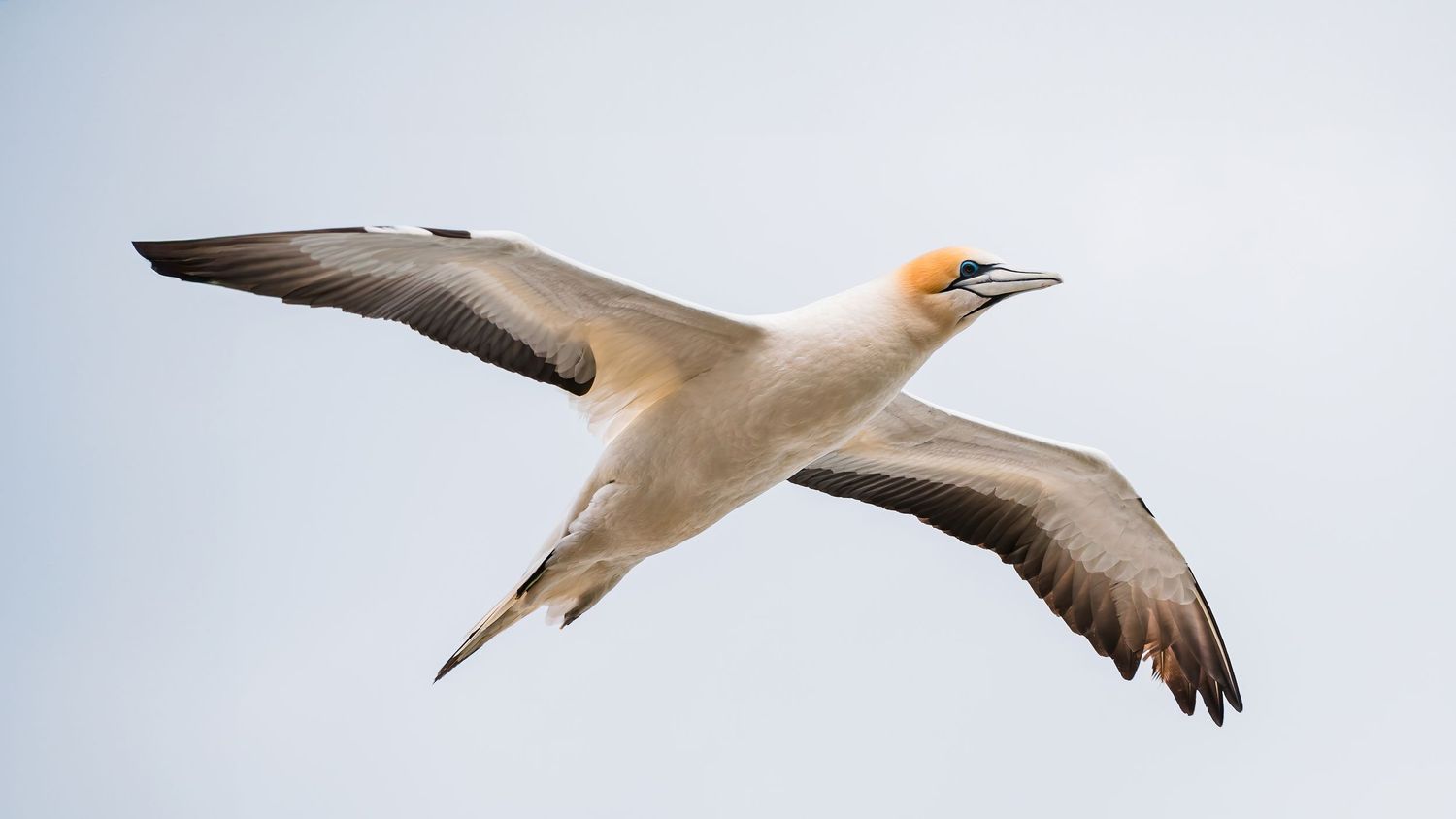
150mm | f/6.3 | 1/1000s | ISO 200 - Using high shutter speed to freeze the motion in flight.
Photo 3 – ISO Focus (Noise / Grain)
Pick ONE option:
☐ Low ISO
ISO 50–200
- Clean image, less noise
☐ High ISO
- ISO 1500+
- More visible grain
_________________________
After setting ISO:
If the photo is too bright:
- Increase shutter speed
- And/or use a narrower aperture (higher f-number)
What to notice:
- Grain/noise levels
- Sharpness vs brightness

100mm | f/5.6 | 1/200s | ISO 5000 - Bumping up the ISO so I can shoot handheld with enough depth of field to capture the details.
Final Notes
- Shoot one subject per photo (anything is fine).
- Manual, Aperture Priority, or Shutter Priority are all OK.
- Bring or share:
- Your favourite photo
- Which setting you focused on
- What changed when you adjusted it
Remember:
- Change ONE setting on purpose.
- Fix exposure with the other TWO.